Classic, Block, or Hybrid — A WooCommerce Theme Built Around Your Brand
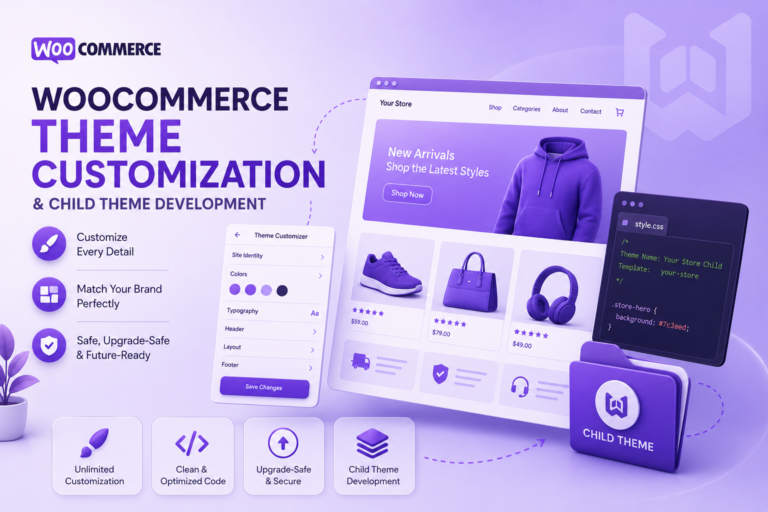
We design and build custom WooCommerce themes in all three modern architectures: Classic PHP template hierarchy, Block themes with Full Site Editing, and Hybrid builds that mix both. Mobile-first, WCAG 2.1 AA accessible, 95+ PageSpeed target, pixel-perfect from your Figma file or built collaboratively with our in-house designers.
Get a Theme Quote
Share your design (or your story) — we'll reply with a fixed quote in 24 hours.
Off-the-Shelf WooCommerce Themes Cost You Conversions — Whichever Architecture You Pick
Generic WooCommerce themes are designed to demo well in a marketplace, not to convert your specific customers. They ship with bloated CSS, slow PHP loops, third-party JS libraries you do not need, and a checkout flow built for the lowest common denominator. A custom WooCommerce theme — Classic, Block (FSE), or Hybrid — is built around your products, your customers, and your conversion funnel. We deliver in the architecture that fits your team: Classic when you need maximum PHP control and page-builder integration, Block when you want visual editing without developer tickets, Hybrid when you are migrating a large legacy codebase. All three score 95+ on PageSpeed mobile and pass WCAG 2.1 AA.
See Theme PortfolioClassic vs. Block (FSE) vs. Hybrid — Which Theme Architecture Fits You
WordPress today supports three valid theme architectures, and the right pick depends on your team and your codebase — not on what is trendy. We build all three. Here is how to choose.
Classic / PHP Theme — Maximum Control, Builder-Friendly
A Classic theme uses the traditional WordPress template hierarchy (header.php, footer.php, single.php, archive.php, plus a woocommerce/ override directory). Layout decisions live in PHP, hooks, and template parts. Pick Classic when your team has strong PHP/WordPress development chops, when you rely heavily on a page builder like Elementor / Bricks / Divi (these still integrate best with classic themes), or when you have legacy plugins that filter woocommerce_before_main_content-style hooks. Classic is mature, predictable, and unbeatable for full code control.
Block Theme (FSE) — Visual Editing, No PHP Required
A Block theme uses theme.json for global styles plus HTML block templates for every page type. The Site Editor (Appearance → Editor) lets you edit headers, footers, archives, single-product templates, even the 404 page visually. There is no PHP layout code — everything is composed of Gutenberg blocks and patterns. Pick Block (FSE) when you want your marketing or content team to ship new pages and tweak layouts without filing developer tickets, when you are building greenfield and want the most future-proof architecture, or when accessibility / performance are top priorities (block themes ship with zero legacy CSS or jQuery by default).
Hybrid Theme — Migration-Friendly, Best of Both
A Hybrid theme mixes both: classic PHP templates for complex pages (single product, cart, checkout, custom funnels where PHP logic is heavy) AND block templates with theme.json for content surfaces (pages, blog, archives, marketing). It is the pragmatic choice for established stores migrating away from legacy themes — you keep working PHP code where it matters and adopt the Site Editor gradually for content. Pick Hybrid when you have a complex existing store, when you want a migration path that does not break custom plugin integrations, or when different parts of your site have different editorial owners (devs maintain product templates, marketing owns content pages).
When You Should Commission a Custom WooCommerce Theme
A custom theme is the right call when one or more is true: (1) your brand is distinctive enough that “looking like everyone else” actively costs you trust or conversion; (2) your conversion funnel has unusual steps (configurator, quote request, B2B login, multi-step checkout) that off-the-shelf themes do not fit; (3) you have outgrown a multi-purpose theme and feel the weight of features you do not use; (4) you need WCAG 2.1 AA or AAA compliance for legal or contractual reasons and cannot get there with a marketplace theme; (5) your team needs to ship marketing pages quickly and a custom pattern library would unlock that.
A custom theme is not the right call when you are pre-launch with no validated traffic, when your design needs are genuinely simple and a $59 ThemeForest theme would do the job, or when your budget cannot absorb the 60-day-payback cycle a custom theme typically demands.
The Hidden Cost of Multi-Purpose Themes (Avada, Flatsome, The7, etc.)
Multi-purpose themes ship with massive feature surfaces designed to demo well across thousands of industries. The cost shows up everywhere: bundled JS frameworks loaded on every page (typically 200–600KB of unused code), inline CSS for design controls you will never touch, dependency on a heavy page builder that is itself another performance tax, and a deep integration with companion plugins that makes “switching themes later” essentially impossible.
A custom block theme inverts this: every byte of CSS and JS exists because your design needs it, swapping themes later is straightforward (no proprietary shortcodes baked into your content), and your Core Web Vitals start in the “Good” range by default.
What Block Themes (FSE) Mean for Your Editorial Workflow
Block themes and Full Site Editing changed what is possible for non-developers to edit safely. Headers, footers, taxonomies, archive pages, single templates, even site-wide colour and typography tokens are all editable from a clean visual interface. We design pattern libraries that turn your team into self-sufficient marketing-page builders within 30 days.
The practical result: marketing campaigns ship faster, designers can iterate without filing developer tickets, and brand consistency improves because everyone is building from the same approved patterns instead of starting from a blank canvas each time.
Design-Led, Engineering-Grade WooCommerce Theme Development
A proven workflow from creative brief through production launch.
Brief & Brand Audit
Understand your audience, brand voice, competitors, conversion goals, and current pain points.
Design (Figma)
Wireframes → high-fidelity mocks for every key template — or work from your existing Figma file.
Architecture-Aware Build
Built as a Classic PHP, Block (FSE), or Hybrid theme depending on the package you choose — the right architecture for your team and codebase.
WooCommerce Templates
Custom shop, single-product, cart, checkout (Block), my-account, and thank-you templates designed for conversion.
QA + Accessibility
Cross-browser, mobile, screen-reader, keyboard, contrast, and Core Web Vitals tested before launch.
Launch + 60d Support
Production go-live, editor onboarding video for your team, and 60 days of free bug-fix support.
What “Block Theme Native” Actually Means in Our Builds
There is a wide spread in how teams claim “block theme support”. Here is exactly what we deliver:
- theme.json driven — colours, typography, spacing tokens, layout widths defined in one file and reflected automatically across every block.
- FSE-enabled — Appearance → Editor unlocks header, footer, archive, single-post, single-product, 404, search, and category templates for visual editing.
- Block-only navigation — your menus live in Navigation blocks, editable from the Editor, no legacy menu screen workflow.
- Reusable patterns — a curated library of 15–30 brand-aligned section patterns your team can drag-and-drop into any page.
- No PHP-only customiser settings — every visual decision lives in the editor where your team can find it.
- Custom blocks (sparingly) — we ship 0–5 custom blocks per theme, only when no combination of core blocks does the job cleanly.
The WooCommerce Templates We Customise
Beyond the standard pages, here is the full template suite we touch on a typical theme engagement:
Storefront & Product Discovery
- Homepage — hero, featured products, value props, social proof, brand story.
- Shop / category — faceted filters, grid/list view, product card design, infinite scroll vs. pagination decision.
- Single product — gallery, variation selector, add-to-cart, upsells, reviews, related products, sticky add-to-cart on mobile.
- Search results — autocomplete, predictive suggestions, no-results recovery.
Conversion-Critical Pages
- Cart — line-item editing, shipping estimate, coupon entry, related upsell.
- Block Checkout — express payment buttons, address form, shipping method, payment, review.
- Order received — order summary, account-creation prompt for guests, social share, recommended next product.
- My account — orders, addresses, payment methods, downloads, subscription management.
Marketing & Content Pages
- Landing page templates (3-4 variants for paid traffic).
- Pillar content / cornerstone article templates for SEO.
- Blog index, single post, category, tag.
- About, contact, FAQ, policy pages.
- 404 — designed to recover, not just apologise.
A Full Production-Ready WooCommerce Storefront
Designed, built, accessible, fast — in the theme architecture that fits your team.
Built Different. Delivered Better.
We combine deep WooCommerce expertise with a developer-first approach to deliver work you can be proud of.
WooCommerce Specialists
100% focused on WooCommerce. We know the codebase, the hooks, and the edge cases that generalists miss.
Clean, Maintainable Code
We follow WordPress Coding Standards so your team can maintain and extend the code with confidence.
Fast Turnaround
Most projects delivered in 3–10 business days. We respect your deadlines.
Who Hires Us for Custom WooCommerce Theme Development
D2C Brands Outgrowing Templates
Direct-to-consumer brands at $500K–$10M/year whose ThemeForest-era theme is now actively hurting them. Conversion is decent but flat, mobile UX feels dated, marketing pages take a developer ticket to ship, and the heavy theme is dragging PageSpeed scores into the red. A custom theme typically lifts conversion 15–35% and unlocks an internal marketing-page workflow.
Funded E-commerce Startups Launching to Market
Startups with $300K-$2M in seed/series A funding who need to launch with a first impression that signals “premium category leader” — not “another generic Shopify store”. A custom WooCommerce theme is the right move where the brand needs to be distinctive from day one.
B2B and B2B2C Stores with Unique Funnels
Wholesale, trade-only, configurator-driven, or quote-to-cart businesses whose funnel does not fit a standard storefront. We design and build the funnel that fits, with a brand-aligned visual language.
Established Stores Rebranding
Businesses going through a rebrand who want the e-commerce visual identity to land at the same time as the brand refresh. We work alongside or downstream of your brand agency.
WooManagers vs. ThemeForest vs. Pre-Built Multi-Purpose Theme
Why a custom theme beats a $59 marketplace template for any serious store.
| Feature | WooManagers | ThemeForest | Multi-Purpose Theme |
|---|---|---|---|
| Designed for your brand | ✓ | ✗ | ✗ |
| Block theme (FSE) | ✓ | ~ | ~ |
| 90+ PageSpeed mobile | ✓ | ✗ | ✗ |
| WCAG 2.1 AA accessibility | ✓ | ✗ | ~ |
| Custom WooCommerce templates | ✓ | ~ | ~ |
| No bundled bloat plugins | ✓ | ✗ | ✗ |
| Reusable block patterns | ✓ | ✗ | ~ |
| Editor onboarding training | ✓ | ✗ | ✗ |
| Long-term maintenance fit | Excellent | Poor | Fair |
| Free post-launch support | 60 days | none | forum |
They redesigned and rebuilt our entire WooCommerce storefront from scratch. PageSpeed jumped from 41 to 96 mobile, conversion rate climbed 31%, and our team can finally edit pages without breaking the layout. The block patterns alone save us hours every week.
One Package Per WooCommerce Theme Architecture
Classic, Block (FSE), or Hybrid — pick the build that fits your team and your codebase. Fixed pricing, no surprises.
Classic / PHP Theme
Traditional WordPress template hierarchy
Ideal for teams that need full PHP control, page-builder integration, or legacy plugin compatibility.
- Classic template hierarchy (
header.php,footer.php,single-product.php, etc.) - Full
woocommerce/template override directory - Custom shop, product, cart, and checkout templates (classic or Block — your call)
- Page-builder friendly (Elementor, Bricks, Divi, WPBakery, Breakdance)
- Mobile-first responsive design (iPhone SE → 4K)
- WCAG 2.1 AA accessibility built in
- PageSpeed 90+ mobile, 95+ desktop targets
- Editor onboarding + maintenance guide
- 60 days of free bug-fix support
Block Theme (FSE)
Modern theme.json + Full Site Editing
Future-proof. Your team edits headers, footers, and entire layouts visually — no PHP required.
theme.jsonwith design tokens (colours, typography, spacing, layout widths)- Block templates for every page type — Site Editor enabled
- 15+ reusable Gutenberg patterns curated for your brand
- Block Checkout customised for your conversion funnel
- Custom Navigation block + global styles
- 0–5 custom blocks where core blocks fall short
- Editor onboarding video + pattern usage guide
- WCAG 2.1 AA accessibility + 95+ PageSpeed mobile
- 60 days of free bug-fix support
Hybrid Theme
Classic templates + theme.json + block patterns
Best of both worlds. The safe migration path for large legacy codebases and complex stores.
- Classic templates where PHP logic is heavy (single product, checkout, custom funnels)
- Block templates for content surfaces (pages, posts, archives, marketing)
theme.jsonfor global styles & design tokens across both modes- Pattern library shared across classic + block templates
- Migration path from your legacy theme baked into the engagement
- Compatible with classic widgets and the new Navigation block
- WCAG 2.1 AA accessibility + 90+ PageSpeed mobile
- Editor onboarding + maintenance guide + migration plan PDF
- 90 days of free bug-fix support (extended for migration buffer)
What Is and Is Not Included in a Custom Theme Engagement
Always included: design or pixel-perfect build from your Figma, all standard WooCommerce templates, block theme architecture, accessibility audit, PageSpeed tuning, 15+ reusable patterns, editor onboarding video, maintenance guide PDF, and 60 days of free bug-fix support.
Often available but quoted as add-ons: custom blocks beyond the included 5, advanced filter / faceted search (often paired with Algolia or ElasticPress), custom configurator or quote-builder, deep page-builder integration (Elementor, Bricks, Breakdance), multilingual setup, animation-heavy interactions, advanced analytics or A/B testing integration.
Not included unless scoped: brand identity work (logos, brand guidelines), copywriting, photography/video direction, ongoing maintenance beyond 60 days, paid traffic landing-page A/B testing programmes.
Compatible Plugin & Tooling Stack
Our themes are tested against and play nicely with: WPML / Polylang / TranslatePress (multilingual), WP Rocket / LiteSpeed Cache (caching), WooCommerce Subscriptions / Memberships, Stripe / WooPayments / PayPal / Mollie, ShipStation / Easyship, Yoast / Rank Math (SEO), Mailchimp / Klaviyo / ActiveCampaign, FacetWP / Algolia (search & filtering), Advanced Custom Fields, and the WordPress Block Editor including third-party block libraries.
Custom WooCommerce Theme Development — Frequently Asked
Common questions before commissioning a custom theme.
Let’s Build Your WooCommerce Storefront
Share your brief or your Figma. Fixed quote in your inbox within 24 hours.