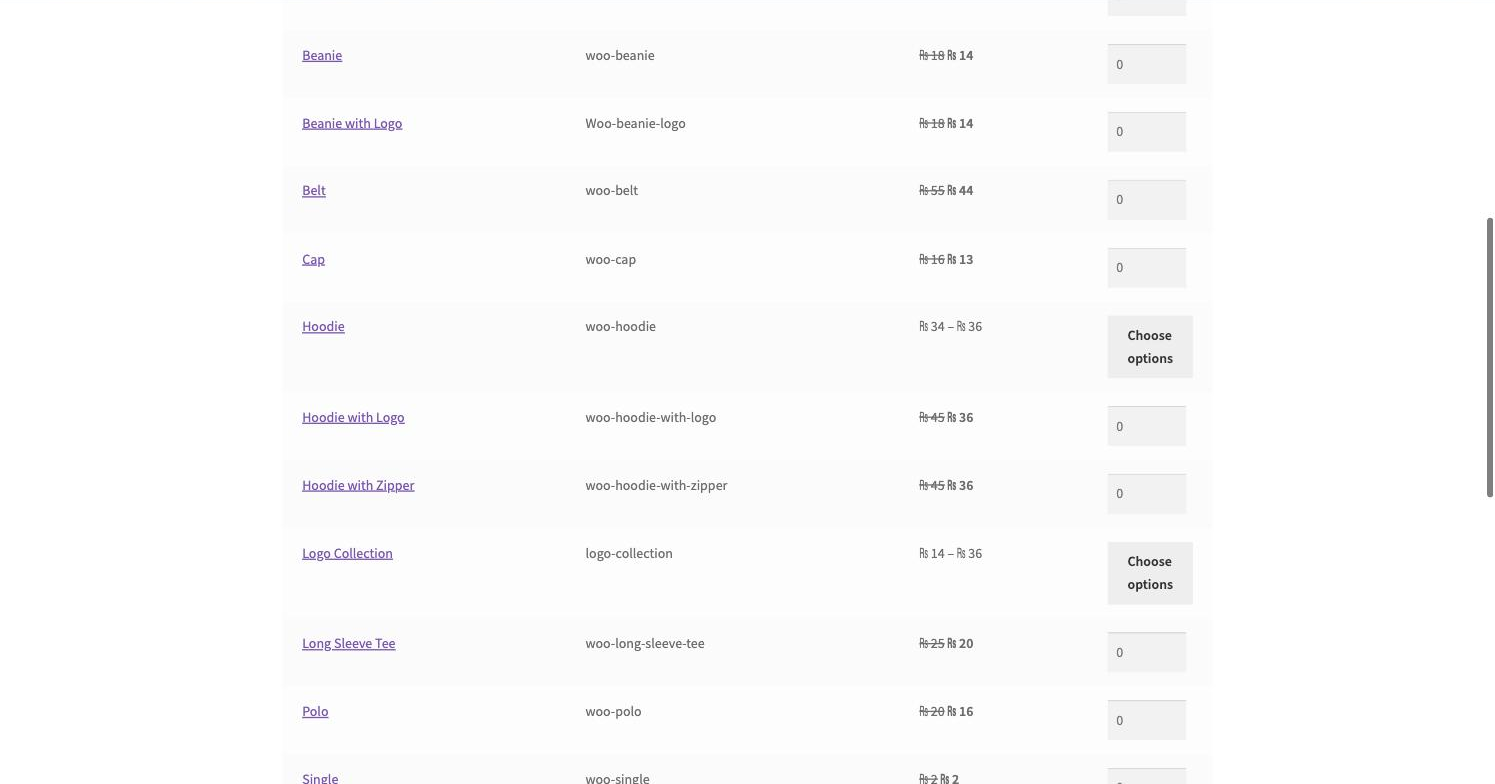
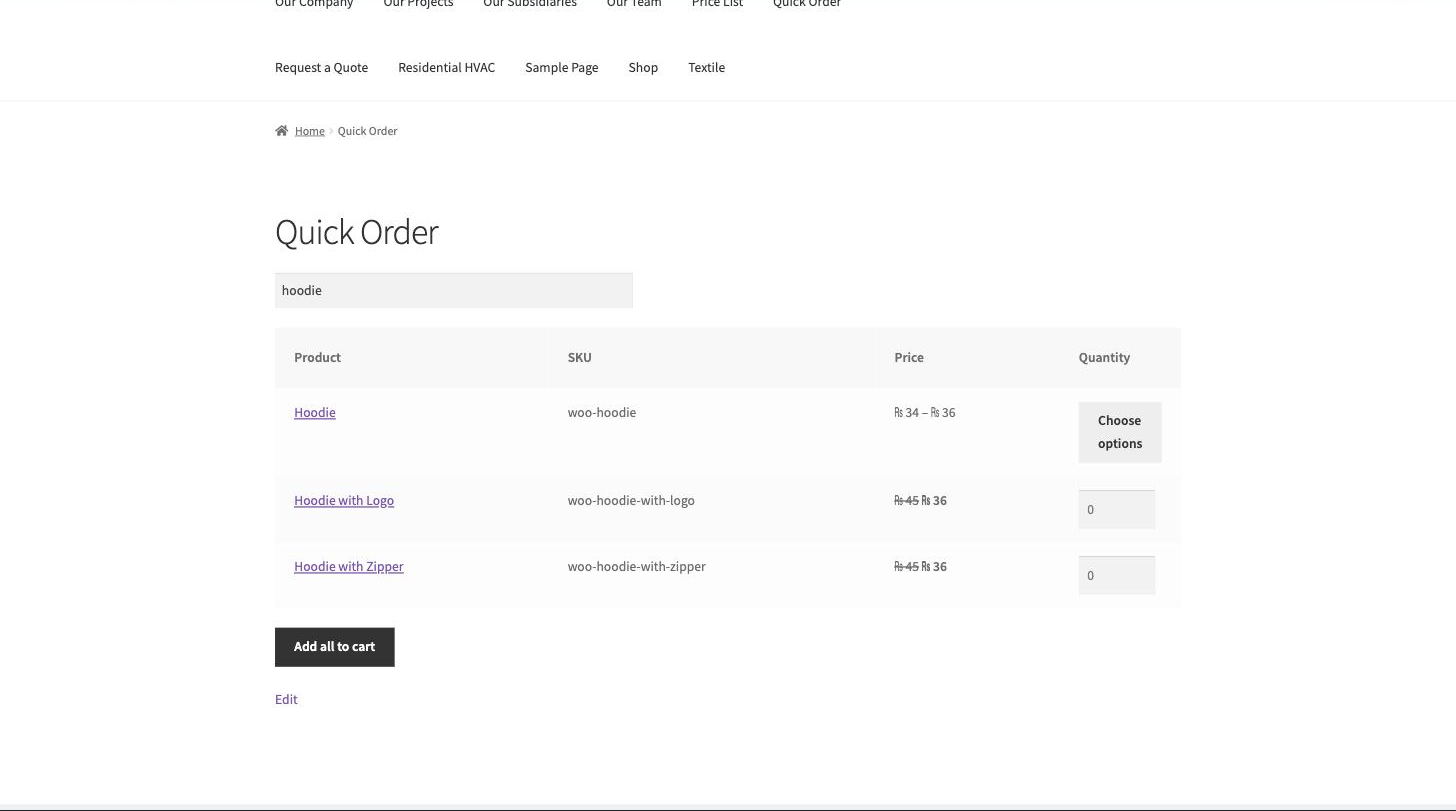
Wholesale buyers don’t browse — they reorder. Quick Order Form for WooCommerce gives them a single page where they search by name or SKU, type quantities against many products and add everything to the cart in one click.
The form respects everything else in your store: catalog visibility, role-based prices (each buyer sees their own price in the table), min/max quantity rules and stock status. Pagination and configurable columns keep it fast on catalogs of any size.
It’s plain, dependency-free JavaScript — no front-end framework, nothing to conflict with your theme.
Key Features
- One-page order form with live search by name or SKU
- Quantity inputs on every row, one Add-all-to-cart click
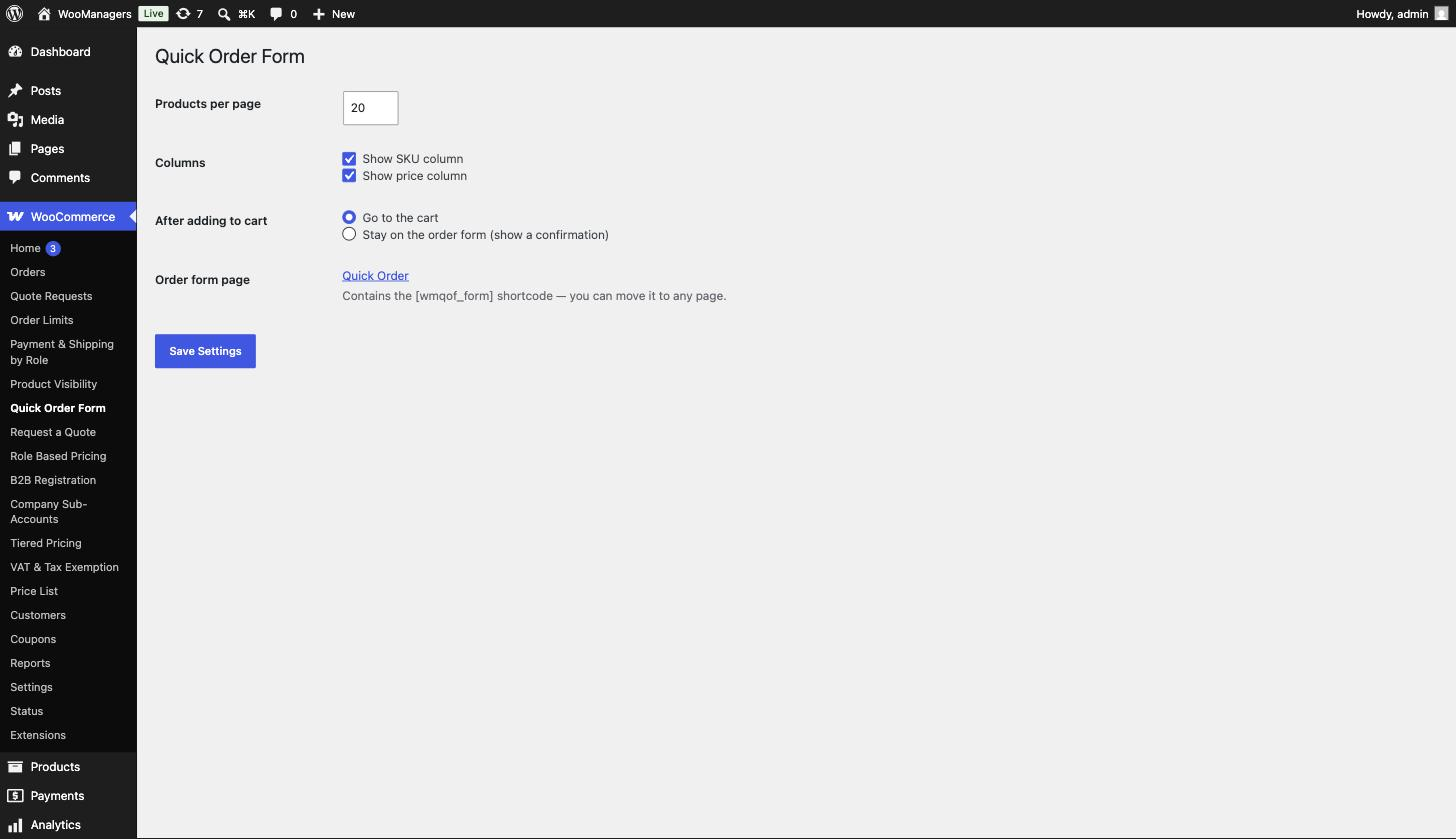
- Pagination and configurable columns (SKU, price)
- Respects catalog visibility, role rules, min/max rules and stock
- Customer-specific prices shown in the table
- Vanilla-JS search, no front-end frameworks
How It Works
- Put the form on any page with the shortcode (a page is auto-created on activation).
- Buyers search by product name or SKU; the table filters live.
- They type quantities on any number of rows.
- One click adds everything to the cart, ready for checkout.
Screenshots
Frequently Asked Questions
Can buyers search by SKU?
Yes — the live search matches product names and SKUs in the same box, which is how most trade buyers order.
Do customers see their own negotiated prices in the table?
Yes. The table shows each visitor’s final price, including role based and other adjusted prices.
Does it respect stock and hidden products?
Yes — out-of-stock items can’t be added and products hidden from the visitor never appear.
How does it handle very large catalogs?
Server-side pagination plus live search keeps the page light no matter how many products you have.
Can I choose which columns show?
Yes — SKU and price columns are toggleable in settings, and you control products per page.
Is this plugin really free?
Yes. The plugin is fully functional and free forever — no locked screens, no trial timers. A premium version with advanced features is planned, but everything you see here stays free.
Will it slow down my store?
No. The plugin is intentionally lightweight: no external requests, no front-end frameworks and no extra database tables. It hooks into standard WooCommerce filters and caches its work per request.
Does it clean up after itself if I uninstall?
Yes. Deactivating keeps your settings; deleting the plugin removes its options and data from the database, leaving your store exactly as it was.
Requirements
- WordPress 6.2 or newer
- WooCommerce 7.0 or newer — HPOS (High-Performance Order Storage) compatible
- PHP 7.4 or newer
- Works with classic themes and block themes
Part of the WooManagers B2B Suite
This plugin is one of 12 lightweight B2B extensions by WooManagers that work alone or together: role based pricing, tiered pricing, quotes, B2B registration, order rules, catalog visibility, checkout control, quick ordering, VAT handling, purchase orders, company accounts and price lists. Install only what you need — each plugin is small, focused and adds no bloat.
Free forever. A premium version with advanced features is coming soon — and if you need something custom, our team builds bespoke WooCommerce extensions too.