Selling B2B across Europe means collecting VAT numbers — and charging the right tax to the right buyer. VAT Number & Tax Exemption for WooCommerce adds a VAT number field to checkout with per-country format validation, and lets you mark trusted customers as tax exempt.
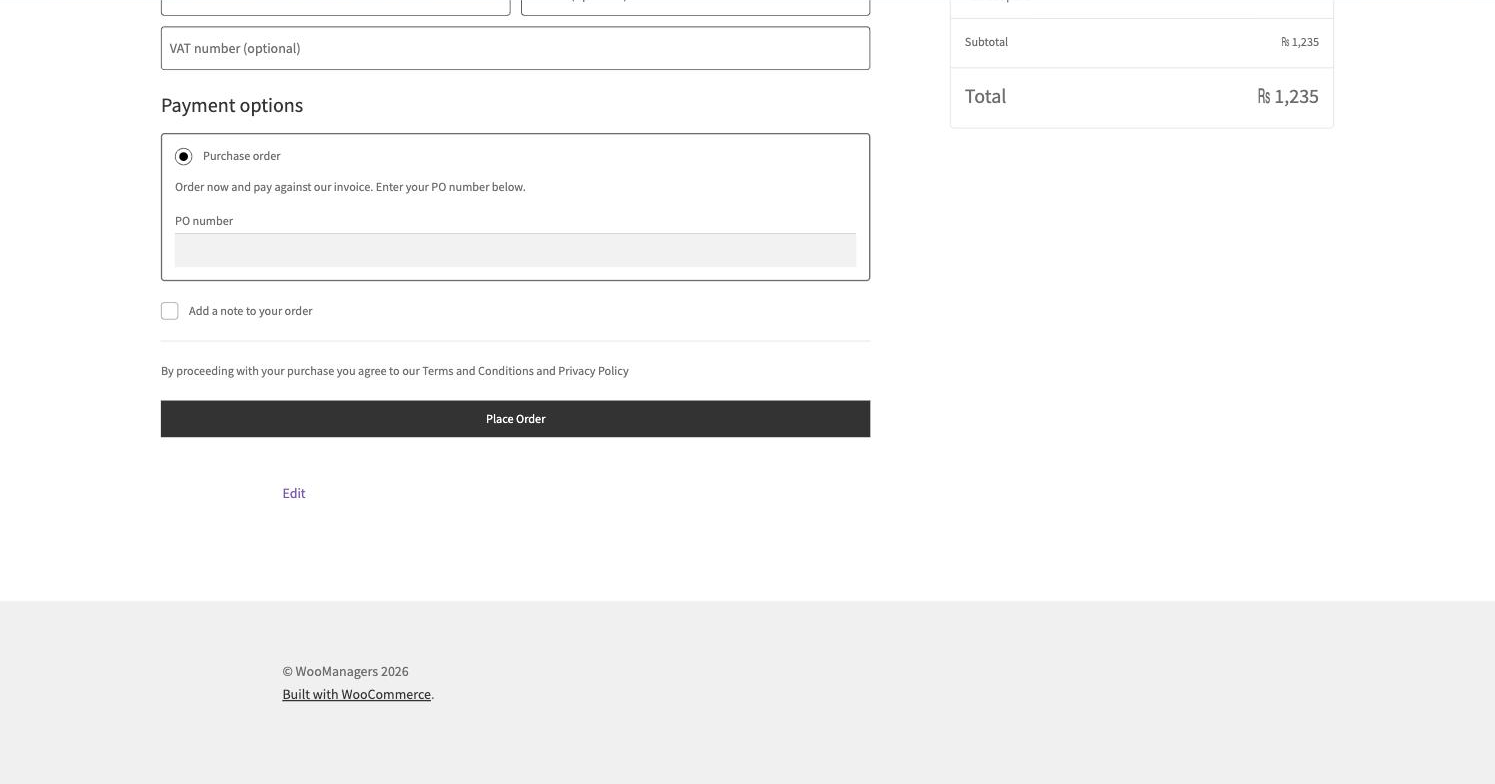
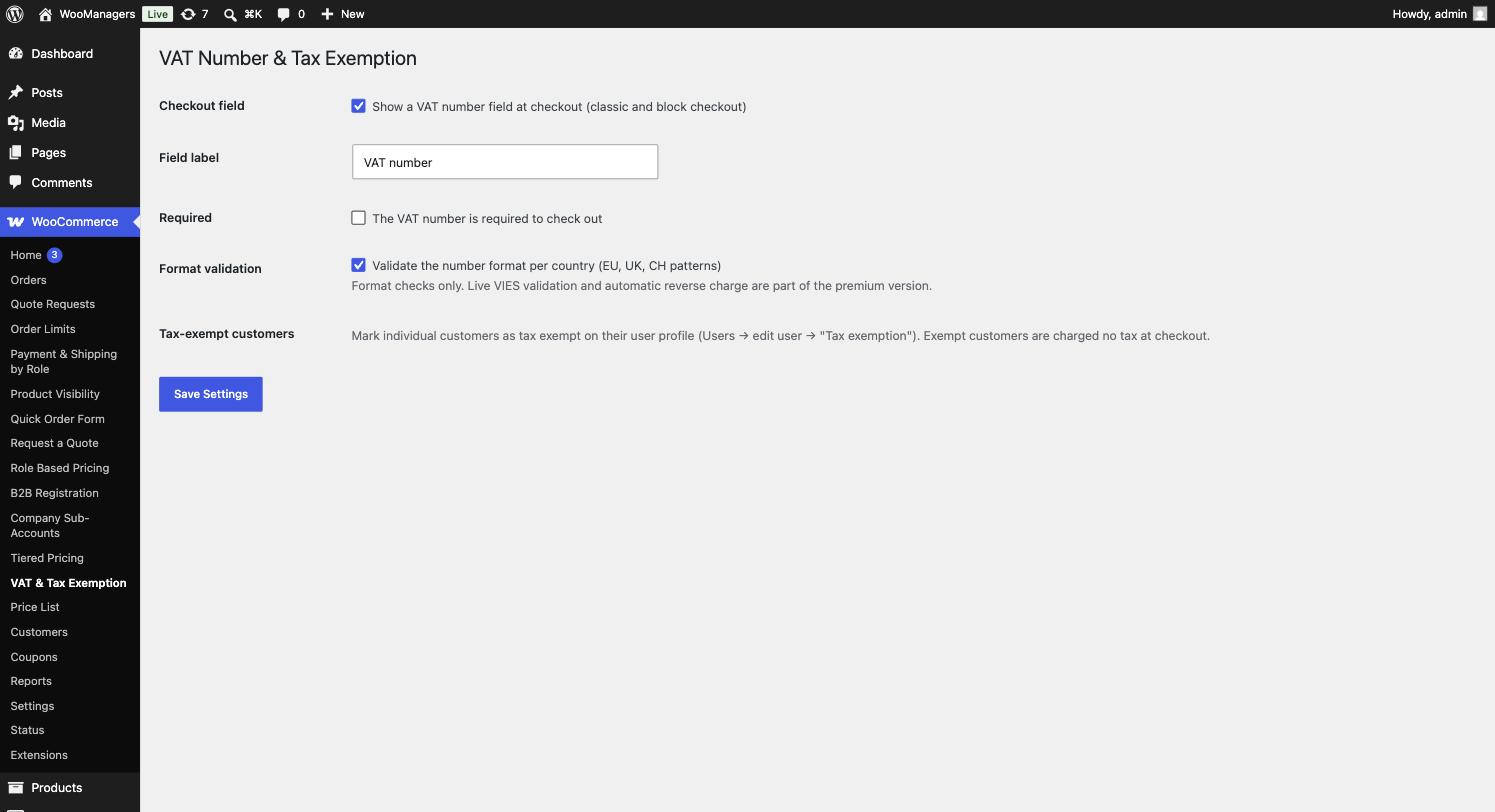
The field works on both the classic and the block checkout. Formats are validated for all 27 EU countries plus the UK and Switzerland, so obvious typos are caught before the order exists. The number is saved on the order, shown on the admin order screen and included in order emails.
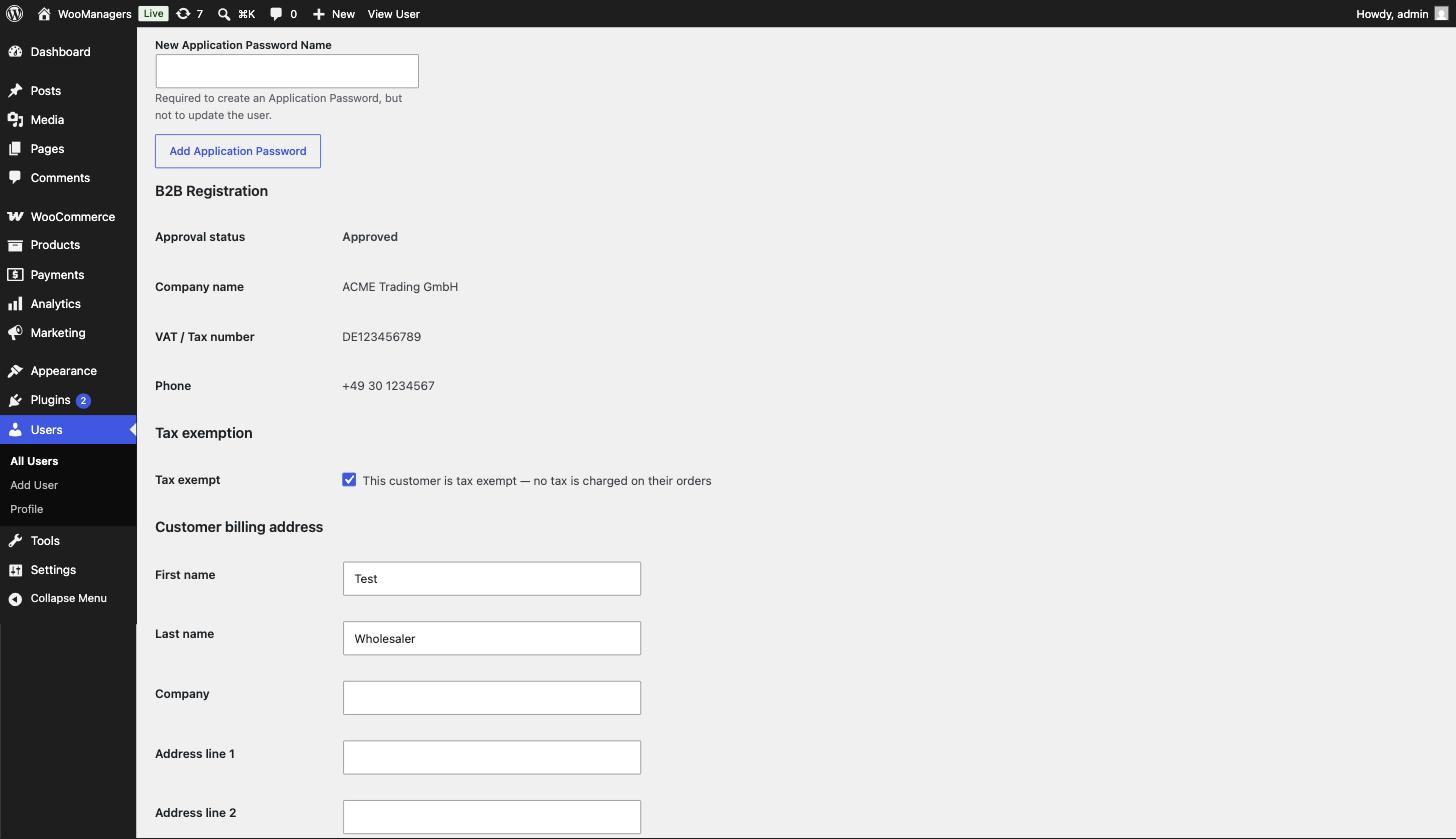
For vetted zero-rated buyers, flip the tax-exempt flag on their user profile: WooCommerce stops charging them tax and the admin order screen shows a tax-exempt badge.
Key Features
- VAT number field on classic AND block checkout
- Per-country format validation (EU, UK, Switzerland)
- Number saved on the order, admin screen and order emails
- Manual tax exemption flag per customer — no tax charged
- Tax-exempt badge on the admin order screen
- No external requests, no extra tables
How It Works
- The VAT field appears at checkout (optional or required — your choice).
- The format is validated against the buyer’s country pattern.
- The number is stored on the order, visible in admin and emails.
- Mark trusted customers tax exempt on their profile; tax stops being charged.
Screenshots
Frequently Asked Questions
Does it validate the VAT number with government servers (VIES)?
The free version validates the number’s format per country — instantly and with no external requests. Live VIES lookups are planned for the premium version.
Which countries are validated?
All 27 EU member states, the United Kingdom and Switzerland, each with its own pattern.
Does the field show on the block checkout?
Yes — it uses WooCommerce’s Additional Checkout Fields API on block checkout and a classic field on the shortcode checkout.
How do I stop charging a customer tax?
Open their user profile and tick the tax-exempt flag; from then on WooCommerce charges them no tax, and their orders carry a tax-exempt badge.
Where can I see a customer’s VAT number later?
On the order itself — admin order screen and order emails — and it stays attached to the order permanently.
Is this plugin really free?
Yes. The plugin is fully functional and free forever — no locked screens, no trial timers. A premium version with advanced features is planned, but everything you see here stays free.
Will it slow down my store?
No. The plugin is intentionally lightweight: no external requests, no front-end frameworks and no extra database tables. It hooks into standard WooCommerce filters and caches its work per request.
Does it clean up after itself if I uninstall?
Yes. Deactivating keeps your settings; deleting the plugin removes its options and data from the database, leaving your store exactly as it was.
Requirements
- WordPress 6.2 or newer
- WooCommerce 7.0 or newer — HPOS (High-Performance Order Storage) compatible
- PHP 7.4 or newer
- Works with classic themes and block themes
Part of the WooManagers B2B Suite
This plugin is one of 12 lightweight B2B extensions by WooManagers that work alone or together: role based pricing, tiered pricing, quotes, B2B registration, order rules, catalog visibility, checkout control, quick ordering, VAT handling, purchase orders, company accounts and price lists. Install only what you need — each plugin is small, focused and adds no bloat.
Free forever. A premium version with advanced features is coming soon — and if you need something custom, our team builds bespoke WooCommerce extensions too.