Established B2B buyers don’t pay by card — they send a purchase order and pay against an invoice. Purchase Order Payment Gateway for WooCommerce adds that workflow to your store as a proper WooCommerce payment gateway.
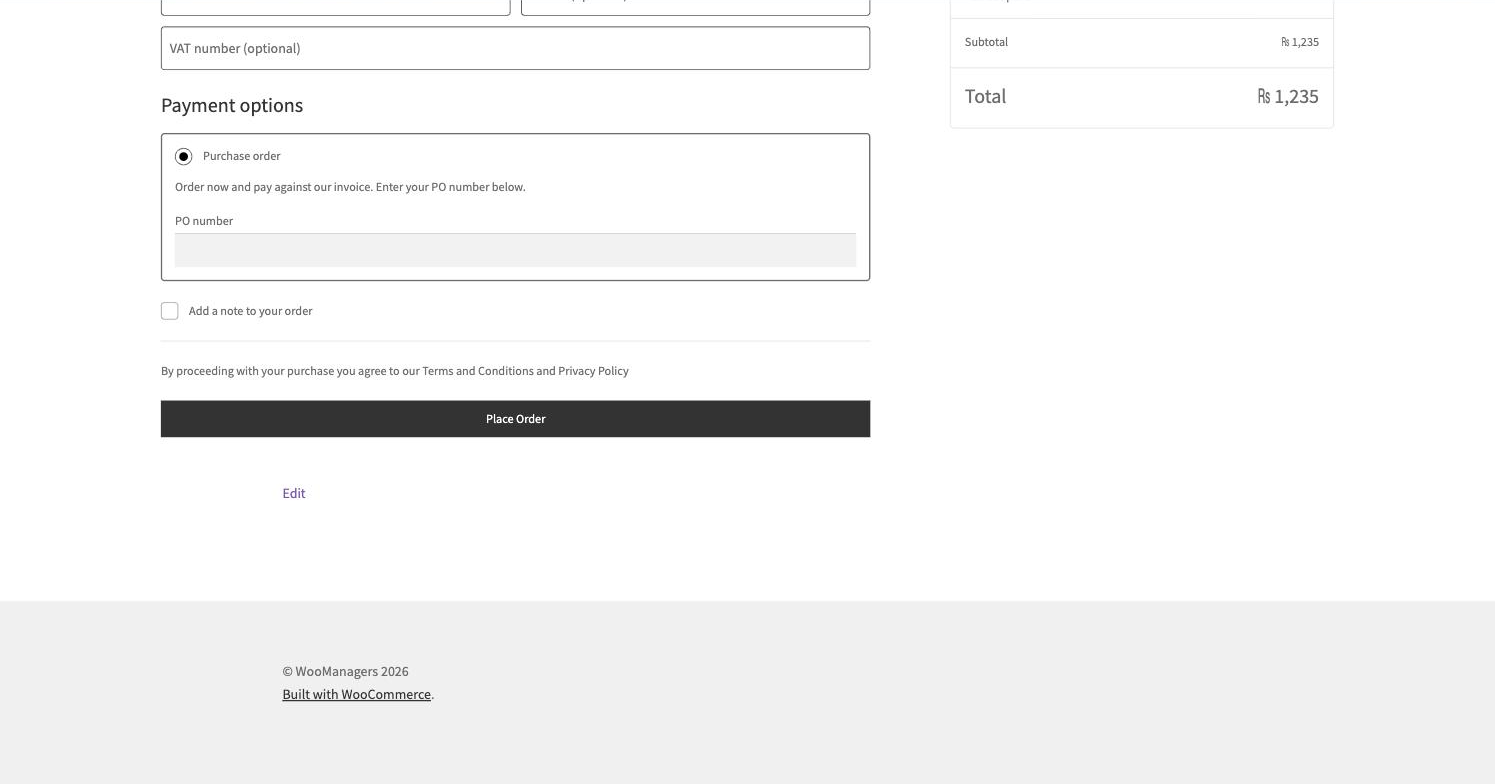
At checkout the buyer picks “Purchase order”, enters their PO number (optional or required — your call) and places the order. The order lands on hold with stock reserved, the PO number is saved on the order, added as an order note and included in order emails, and your customisable instructions appear on the thank-you page.
It integrates natively with the block checkout as well as the classic one, and pairs perfectly with Payment & Shipping Methods by Role so only approved trade accounts ever see it.
Key Features
- A proper WooCommerce payment gateway with a PO number field
- Optional or required PO number
- Native block checkout integration (plus classic checkout)
- PO number on the order, order note and order emails
- Customisable instructions on the thank-you page and emails
- Orders placed on hold with stock reserved
How It Works
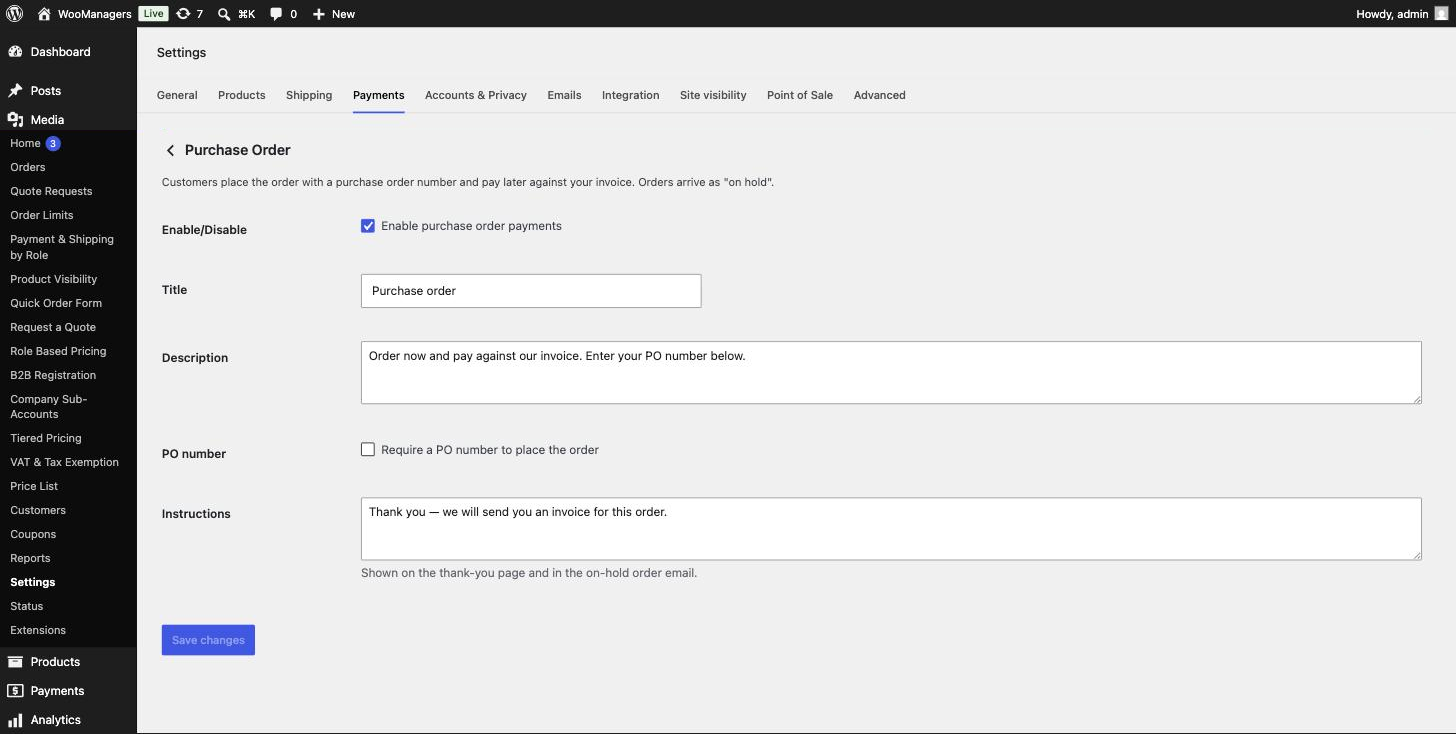
- Enable the gateway in WooCommerce → Settings → Payments.
- Choose whether the PO number is optional or required, and write your instructions.
- Buyers place orders with their PO number; orders arrive on hold, stock reserved.
- You invoice the buyer and mark the order processing when payment arrives.
Screenshots
Frequently Asked Questions
Does it work with the WooCommerce block checkout?
Yes — the gateway registers native block checkout support, so the PO field appears correctly in both checkout experiences.
Can I make the PO number required?
Yes. A setting switches the field between optional and required; when required, checkout won’t complete without it.
What status do purchase orders get?
On hold, with stock reserved — the standard WooCommerce state for awaiting-payment orders. You mark them processing once the invoice is paid.
Where do I see the PO number afterwards?
On the admin order screen, in an order note and in the order emails — so your accounts team can match the invoice easily.
Can I show the gateway only to approved wholesale accounts?
Yes — combine it with our free Payment & Shipping Methods by Role plugin and hide it from every role except your trade roles.
Is this plugin really free?
Yes. The plugin is fully functional and free forever — no locked screens, no trial timers. A premium version with advanced features is planned, but everything you see here stays free.
Will it slow down my store?
No. The plugin is intentionally lightweight: no external requests, no front-end frameworks and no extra database tables. It hooks into standard WooCommerce filters and caches its work per request.
Does it clean up after itself if I uninstall?
Yes. Deactivating keeps your settings; deleting the plugin removes its options and data from the database, leaving your store exactly as it was.
Requirements
- WordPress 6.2 or newer
- WooCommerce 7.0 or newer — HPOS (High-Performance Order Storage) compatible
- PHP 7.4 or newer
- Works with classic themes and block themes
Part of the WooManagers B2B Suite
This plugin is one of 12 lightweight B2B extensions by WooManagers that work alone or together: role based pricing, tiered pricing, quotes, B2B registration, order rules, catalog visibility, checkout control, quick ordering, VAT handling, purchase orders, company accounts and price lists. Install only what you need — each plugin is small, focused and adds no bloat.
Free forever. A premium version with advanced features is coming soon — and if you need something custom, our team builds bespoke WooCommerce extensions too.